Train BotRider awareness
Latviešu versija

Real-time rider awareness

Telegram bot and miniapp, public page

Train Bot pairs a Telegram bot with a public web view for one journey. It is built for riders following inspection sightings on a specific departure, and any passenger is encouraged to submit only what they personally observe.

  • Telegram check-in for one specific departure
  • Public web for departures, stations, and maps
  • Latvian and English flows for daily use
Train Bot route selection card in Telegram Web listing several nearby departures, including Jelgava to Riga.
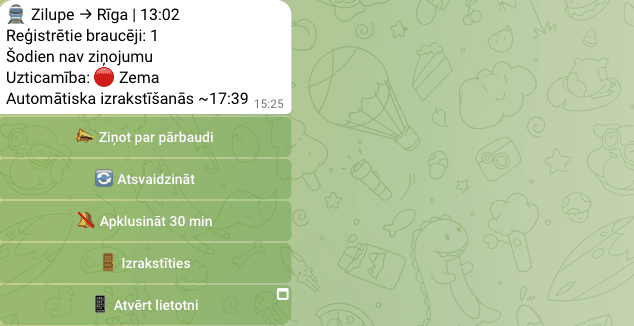
Train Bot active ride status card in Telegram Web for a Zilupe to Riga departure with confidence detail and actions for report, refresh, mute, and unsubscribe.
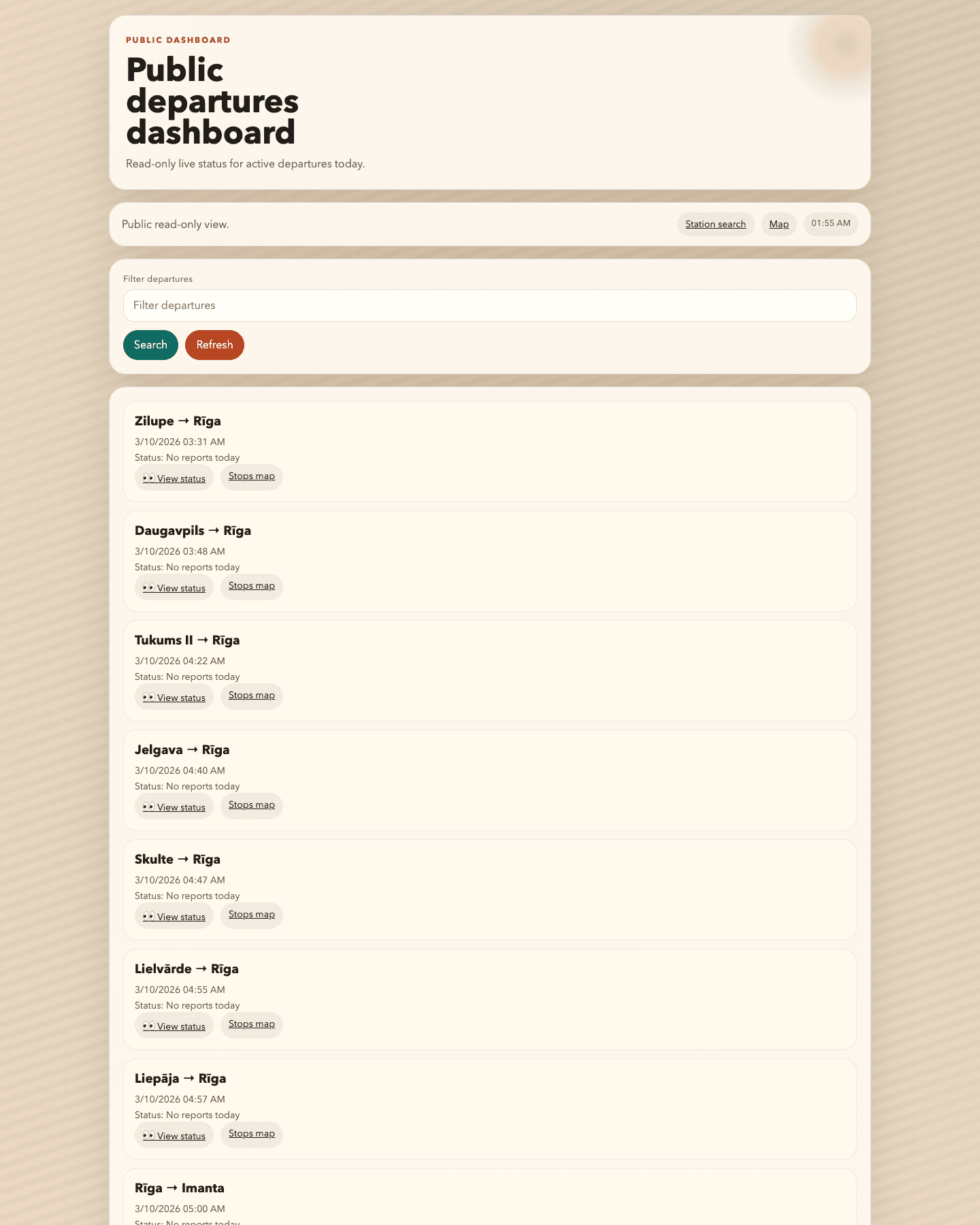
Train Bot public departures dashboard showing multiple live train cards, including Jelgava to Riga.

Entry points

Two ways to use Train Bot

The first path is for riders actively using the product during a trip. The second is for quick browser-based review without a chat flow.

Telegram bot

For active check-in and reporting

Open the bot, join your specific departure, and add first-hand observations so other riders can see the current situation.

  • Check in to a specific departure by route and time
  • Structured buttons for inspection start, in-car sightings, and inspection end
  • Any passenger can report data as long as it comes from personal observation

Open the bot

Public web

For read-only review in the browser

Open the public pages when you only want departure lists, station lookup, or route maps without Telegram.

  • Today’s public departures dashboard
  • Station search with next departures
  • Network and per-train maps in the browser
Open the public web

First-time flow

How to start in under a minute

A new rider should not need a wall of instructions. Three decisions are enough.

1

Pick the surface

Telegram is for active participation during a trip. The public web is for quiet read-only browsing.

2

Find the exact departure or station

Train Bot anchors information to a specific departure or station so the signal stays narrow and contextual.

3

Follow only what matters to your ride

Ride status, next departures, and stop maps help you make sense of one concrete situation without extra noise.

Product proof

Screenshots instead of abstract claims

The same product appears in two modes: a Telegram bot for active use and a public web surface for fast read-only browsing.

Telegram bot

This is where riders pick language, check in to a departure, and manage an active ride.

Train Bot settings card in Telegram Web showing notification status, notification style, and LV or EN language buttons.

Language and settings controls

The live Telegram Web history shows the actual settings card riders use to switch language, notification state, and message style.

Train Bot route selection card in Telegram Web listing several nearby departures, including Jelgava to Riga.

Route selection for check-in

Before a rider checks in, the bot offers a concrete departure list so the report stream is anchored to the right train.

Train Bot active ride status card in Telegram Web for a Zilupe to Riga departure with confidence detail and actions for report, refresh, mute, and unsubscribe.

Active ride status

The ride card packages confidence, rider count, and the quick actions riders need while they are still on that train.

Public web

The browser surfaces let people review departures, search by station, and open a stops map for one train.

Train Bot public departures dashboard showing multiple live train cards, including Jelgava to Riga.

Public departures dashboard

The read-only dashboard lists visible departures for today and links directly into per-train status or stop maps.

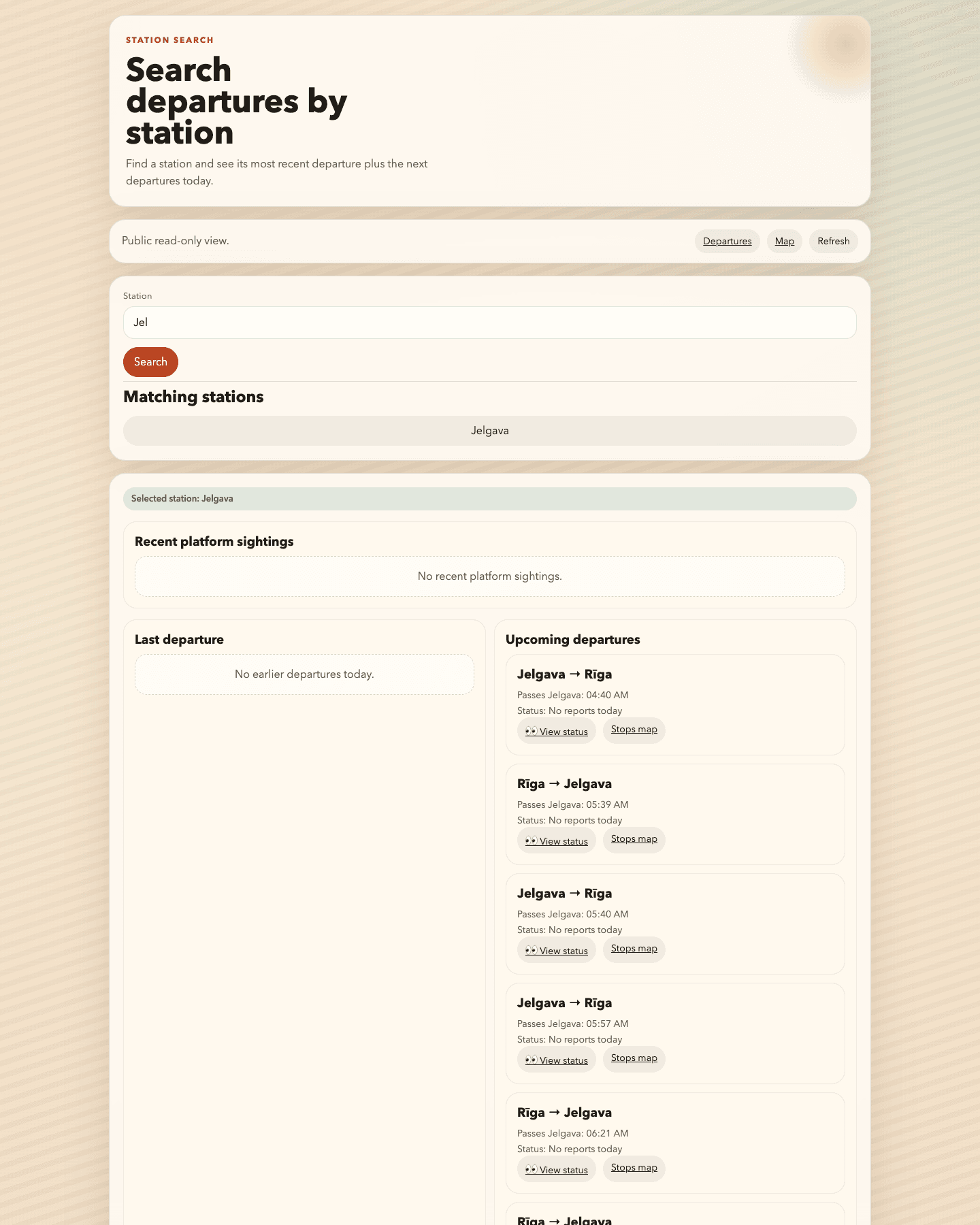
Train Bot station search view with Jelgava selected and upcoming departures listed.

Search by station

The station view shows the most recent departure plus the next trains passing that station without requiring Telegram.

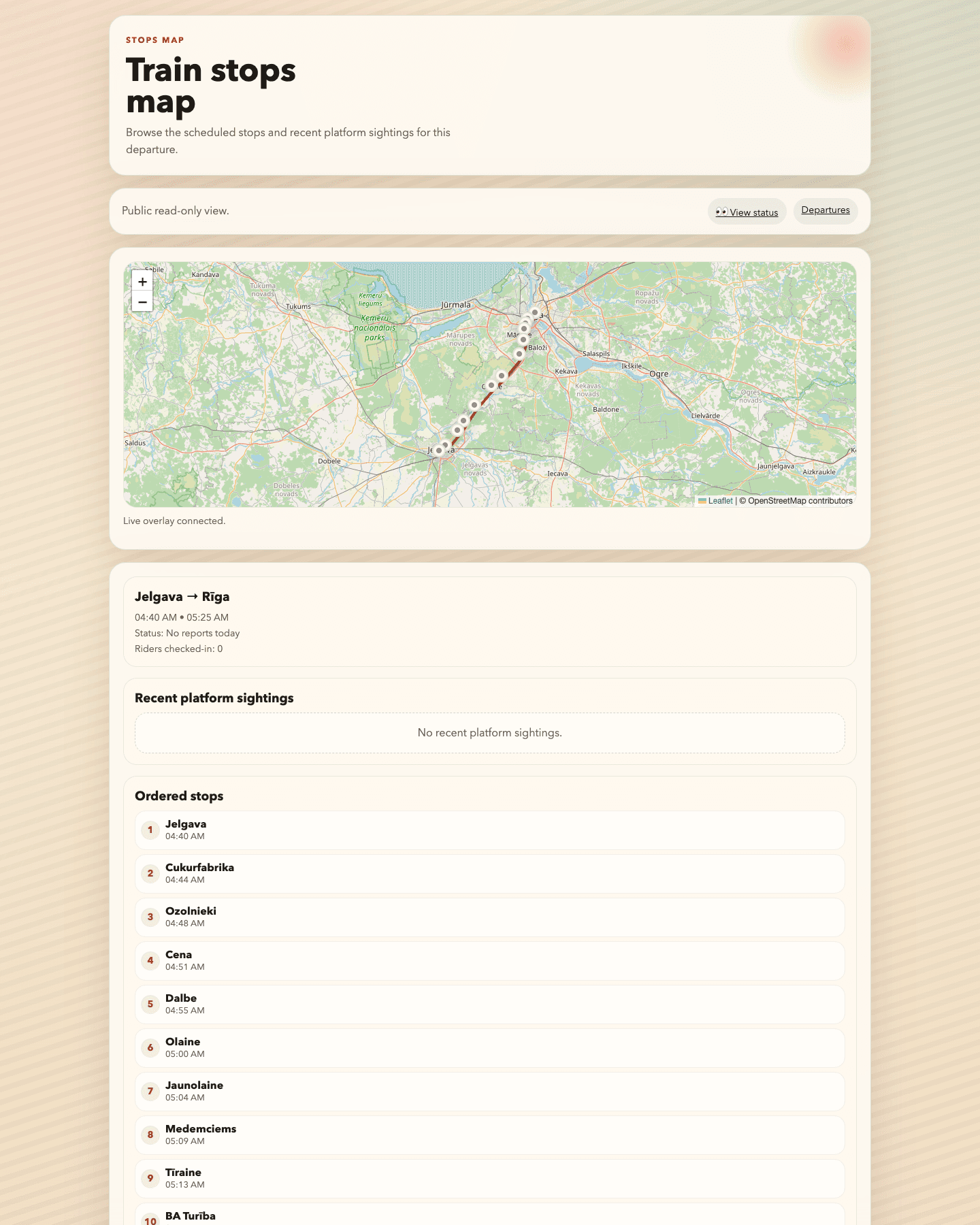
Train Bot public stops map for a Jelgava to Riga departure with route line and ordered stop list.

Stops map for one departure

A single departure page combines the route map, ordered stops, and linked status context in one browser view.

Direct pages

Public web without Telegram

If you only need to browse, open the exact page directly and skip the chat flow entirely.

Train Bot public departures dashboard showing multiple live train cards, including Jelgava to Riga.

Departures dashboard

See today’s visible departures and jump straight into train status or stop maps.

Open departures dashboard
Train Bot station search view with Jelgava selected and upcoming departures listed.

Search by station

Type a station and review the most recent train, upcoming departures, and the linked train pages.

Open station search
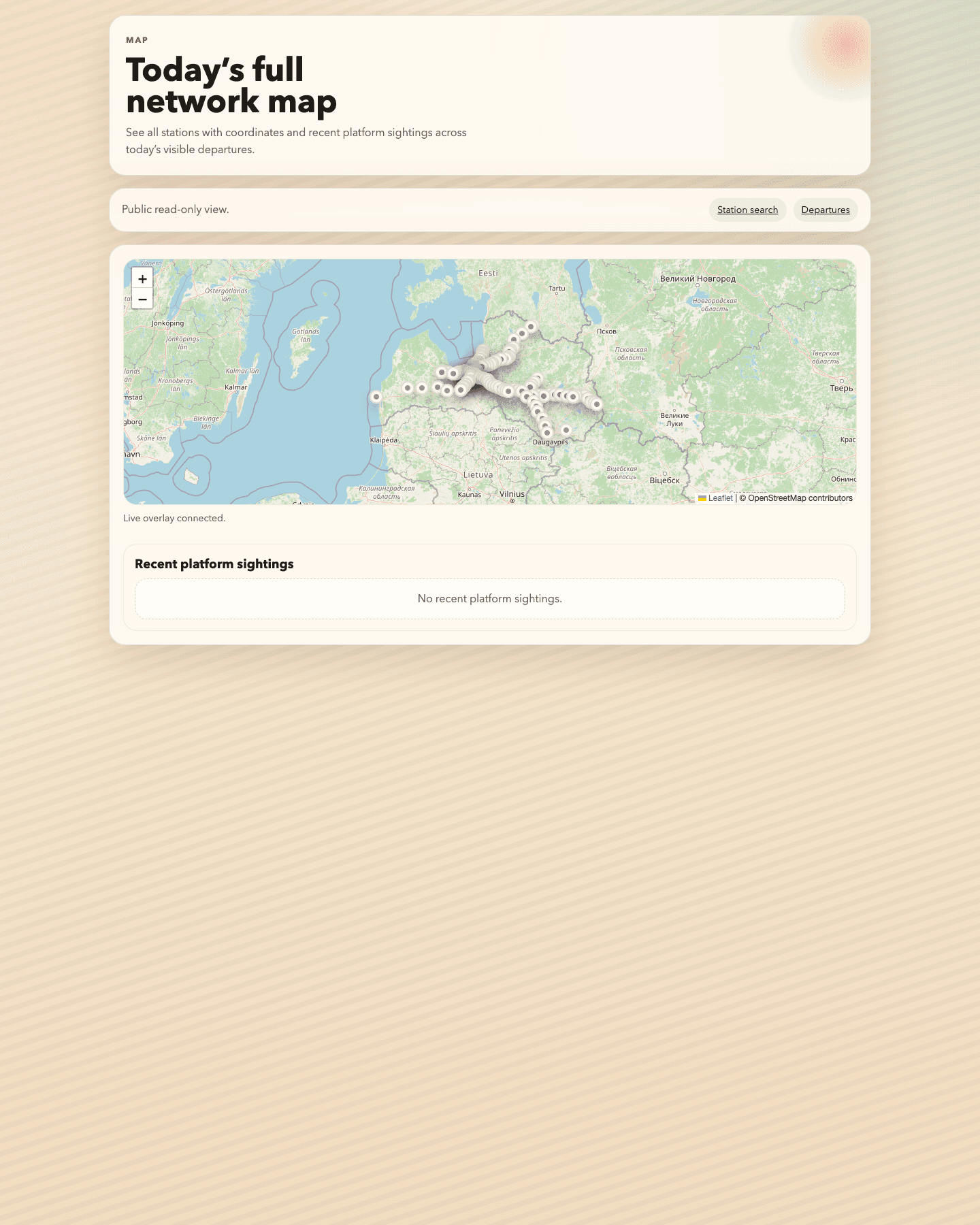
Train Bot public network map showing stations across today's visible routes.

Network map

Browse the visible station network on a map when you need a wider overview of the day’s routes.

Open network map

Next step

Open the surface that fits your use case

Start with Telegram if you are riding right now. Open the public web if you only want a quick read-only view of status and maps.